
Thursday, 6 May 2010
Elly Skinned
Skinning the elephant was not as difficult as I thought because it's body parts were very spaced apart. Once I had got to grips with the skinning process from the other characters, it was very easy doing the elephant. Similar to the mouse I thought I was finished and then when I began animation, some of the legs were accidently linked to the belly. I had to go back on many occassions and try skinning again. I got there eventually.
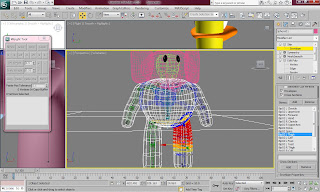

Mizo Skinning
Mizo was very difficult to skin beause the body was one piece. Everything needed to be carefully skinned. the body was attached to all the bones except for the head and the neck. It took me to a long time to make sure that the arms moved properly. Once I thought i was finished, I started animating the mouse to see what it looked like. The mouse walked on his knees which was very strange. I then noticed that i forgot to add the mouse's calf to the body which meant that the bone wasnt included and the mouse was not walking properly. I used the same methods as when I skinned the duck.
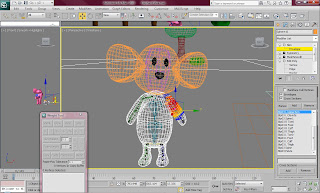

Dito Skinning
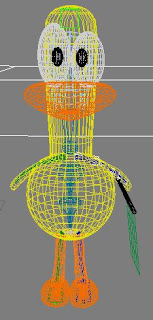
The skinning was very difficult to do. It took such a long time and was so frustrating. Firstly I selected the duck's body and applied to skin modifier to it. I then added the boned of the biped that were contained within the ducks body. I then went through each of the body parts to make sure they had the right verticies connected to them. I had to continuously bake the editing to make sure i did not have to repeat a section. The most difficult part of the duck were his arms because they were joint to the body and pulled everything with it. The easier part were the legs and feet because they were two separate parts to the body so they did not need editing and moved fine. I tested it continuously to make sure i was doing it right. I had to make sure some of the extra parts to the duck were connected to the biped as they were not connected to anything and probably would not move along with the body. I did this by using the link tool and I linked parts like the eyes, the beak, and the flag to the biped to make sure it moved along with it.
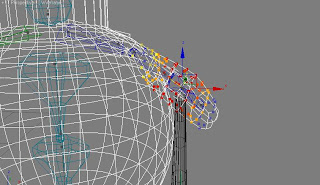

Biped's
Once all the characters were made and looking right I had to apply a skeleton to them to make sure they will be able to move with human characteristics and movement. The duck was the most difficult to do as the body shape was very different in different parts of the body. I had to make sure all of the body were in proportion as the skinning would be difficult to do otherwise. I re sized the biped by using the select and uniform scale tool.
The mouse was quite easy to do because most of the mouses body parts are the same proportion as a human, except the leg length. I wanted to make sure it was done well so i was very thorough with the mouse.
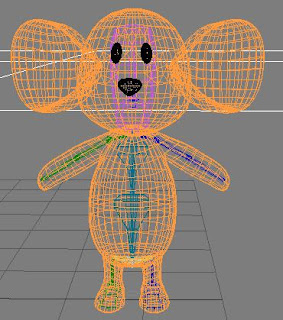
The elephant was the most difficult to do because all of its body parts were out of proportion. Not only that, but the elephant didn't have hands or feet so I had to make the feet and hands so small that they couldn't be seen because the program would not allow me to take away the hands.
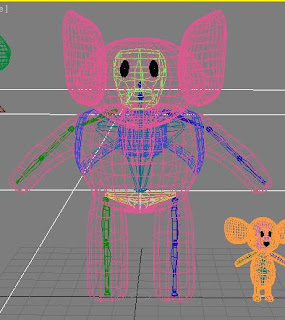

The mouse was quite easy to do because most of the mouses body parts are the same proportion as a human, except the leg length. I wanted to make sure it was done well so i was very thorough with the mouse.

The elephant was the most difficult to do because all of its body parts were out of proportion. Not only that, but the elephant didn't have hands or feet so I had to make the feet and hands so small that they couldn't be seen because the program would not allow me to take away the hands.

Start and Finish Lines
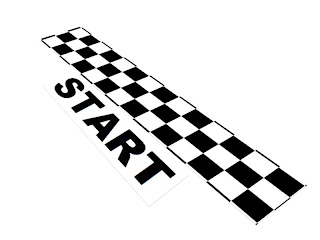
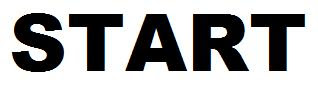
I started the start line first by creating a flat plane and using the material editor to make a checkered effect. I then adjusted the spaces between the black and white squares. Then I created another plane and assigned a material to it which contained a bitmap of the 'Start' image (shown below). I made sure that all planes had the UVW Map modifier applied to them.
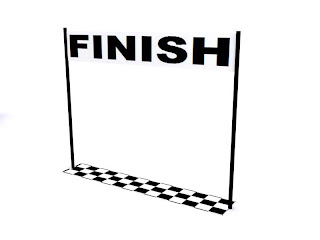
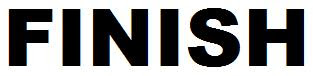
This is the finish line which was made the same way as the start line. I also included two cylinder poles to make it look more effective and less similar to the start line. This is so there is a difference and people understand what is going on.
These are the images I used for the 'Start' and 'Finish' wording.
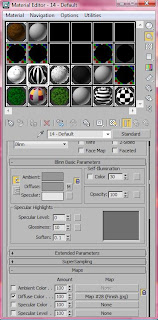
These are the material editor settings used to show the wording.
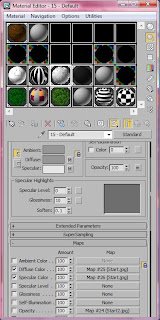

This is the finish line which was made the same way as the start line. I also included two cylinder poles to make it look more effective and less similar to the start line. This is so there is a difference and people understand what is going on.

These are the images I used for the 'Start' and 'Finish' wording.


These are the material editor settings used to show the wording.


Scenery
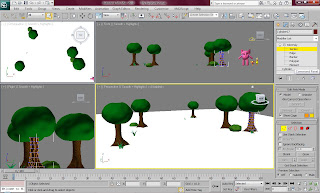
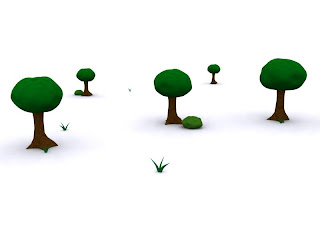
The scenery was surprisingly not very difficult to do I used cylinders to make the tree trunks by distorting them using the edit poly modifier. I then made the tree leaves out of a sphere and assigned a material to it. The bushes are only small versions of the tree leaves and the grass was reshaped and distorted from cylinder shapes.
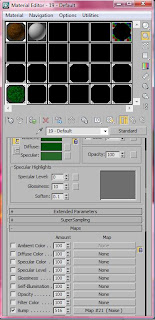
Below is the material I used for the bush. I used the tools and settings available on material modifier to make the leaf effect.
This is how the scenery looks after it is rendered.

Below is the material I used for the bush. I used the tools and settings available on material modifier to make the leaf effect.

This is how the scenery looks after it is rendered.

Problems with Materials
There was a big problem which occurred with the materials which meant that every time I rendered, anything that appeared with a material assigned to it, appeared black. This was a big problem because I could not render with things appearing black.
I found out that the problem occurred because the default material was set to 'arch and design' which was apparently not compatible with the file. To solve this solution I set each of the materials a parent files to 'Standard'.
The image below shows how I did this.
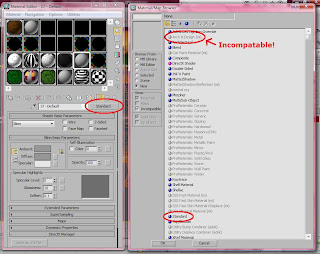
I found out that the problem occurred because the default material was set to 'arch and design' which was apparently not compatible with the file. To solve this solution I set each of the materials a parent files to 'Standard'.
The image below shows how I did this.

Subscribe to:
Posts (Atom)


 Posts
Posts

